
Adjusting measurement sheets
The 2025-2026 annual update included extensive updates to fundamental components of the software.
Among other things, the Spread plugin, which is used to create measurement sheets (production documents), was updated.
In rare cases, installing the current version may cause one or more of the problems described below to occur with existing measurement sheets.
Simple solutions are available for all possible deviations compared to the previous version.
Most problems arise from naming conventions and formatting errors in the documents.
Two scripts must be executed before the update is installed.
The first script shortens excessively long names of the measurement sheets and removes special characters from the name or converts them into valid characters.
The second script saves the existing measurement sheets to a directory.
Script 1 – Name Correction
The script should be inserted into the General module and executed from there.
| UpdateMeasurementSheets() | |
|---|---|
public static void UpdateMeasurementSheets() { object[][] measurementTable = SQLDirectAccess.Select(String.Format("SELECT {0}, {1} FROM {2}", DB.Measurement_sheet.ID, DB.Measurement_sheet.matchcode, DB.Measurement_sheet)); for (int i = 0; i < measurementTable.Count(); i++) { string sheetname = measurementTable[i][1].ToString(); if (sheetname.Contains("[") || sheetname.Contains("]") || sheetname.Contains("*") || sheetname.Contains("?") || sheetname.Contains("/") || sheetname.Contains("\\") || sheetname.Length > 31) { DataRow row = SQLDirectAccess.GetDataRow(DB.Measurement_sheet, DB.Measurement_sheet.ID, (Guid)measurementTable[i][0]); var blob = new Blob(DSTools.getFieldValue<byte[]>(DB.Measurement_sheet.measurement_sheet, row)); sheetname = sheetname.Replace("[", "(").Replace("]", ")").Replace("*", "_").Replace("?", "_").Replace("/", "|").Replace("\\", "|"); if (sheetname.Length > 31) { sheetname = sheetname.Substring(0, 31); } row[DB.Measurement_sheet.matchcode] = sheetname; if (blob.Count > 0) { FarPoint.Win.Spread.FpSpread fpSpread1 = new FarPoint.Win.Spread.FpSpread(); fpSpread1.AllowCellOverflow = true; fpSpread1.Sheets.Clear(); var sheet = new FarPoint.Win.Spread.SheetView(); using (var ms = new System.IO.MemoryStream(blob.RetrieveVariable<byte[]>(0))) { sheet.Open(ms); } sheet.SheetName = sheetname; fpSpread1.Sheets.Add(sheet); row[DB.Measurement_sheet.measurement_sheet] = ingenious.net.Moduls.Items.MeasurementSheets.SheetViewWrapper.SheetToCompressedByteArray(sheet); SQLDirectAccess.InsertUpdate(DB.Measurement_sheet.ID, row); } } } } |
|
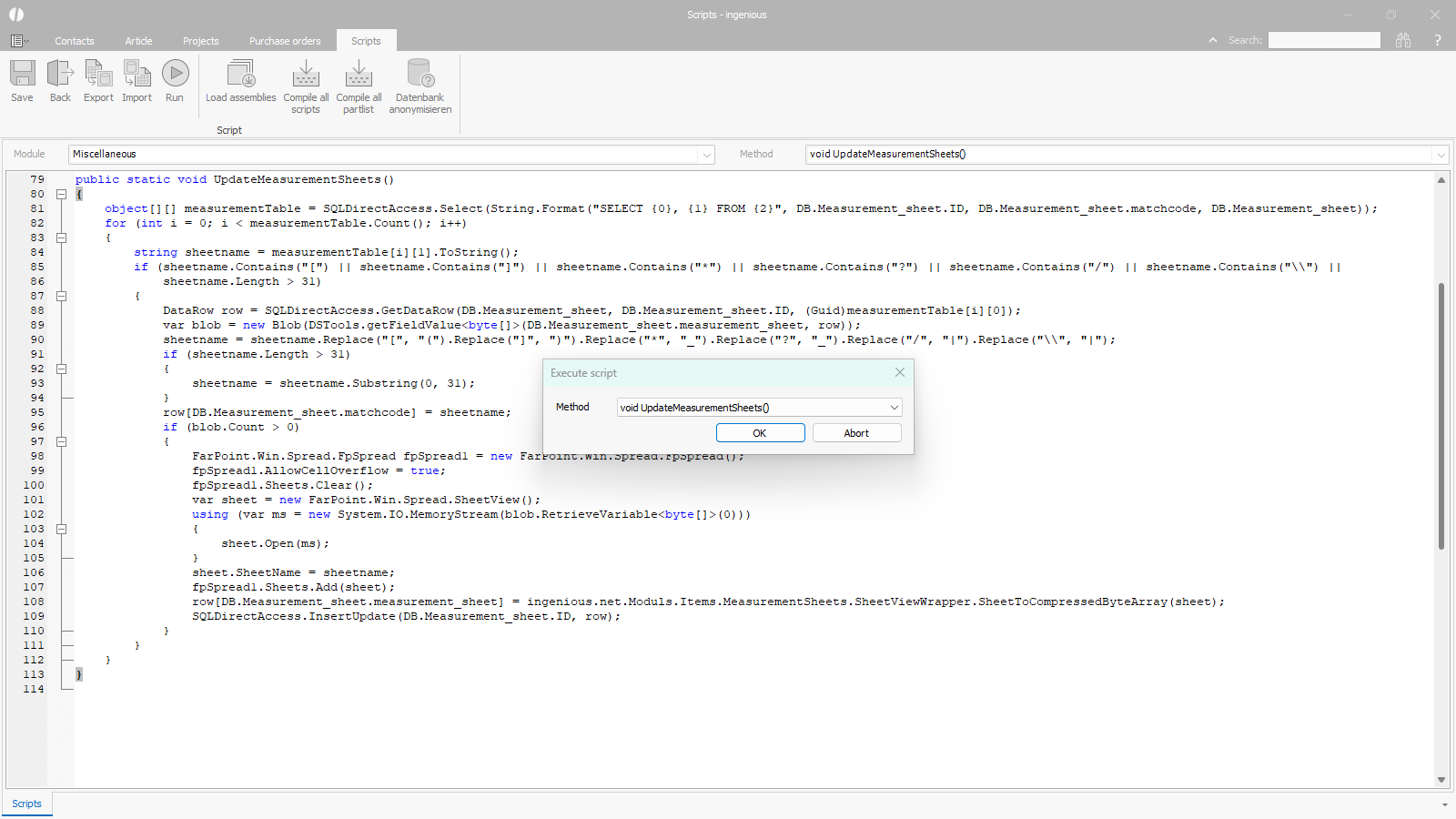 |
| Name correction script |
Script 2 – Backing up existing measurement sheets
The measurement sheets should be backed up to a directory before installing the annual update.
If individual problems occur after the update, it may help to reopen the saved measurement sheet in the new version.
The script should be inserted into the General module and executed from there.
The target path for the backup must be entered in the third line of the script -> Example: string filepath = “C:/Backup_Spread/”;
| Spreadsheet Export measurement sheets | |
|---|---|
public static void SpreadsheetExport() { string filepath = ""; if(String.IsNullOrWhiteSpace(filepath)) { Helper.Alert(Lang.getString("No destination path selected!")); return; } int count = 1; object[][] measurementTable = SQLDirectAccess.Select(String.Format("SELECT {0}, {1} FROM {2} WHERE {3} IN (SELECT {0} FROM {4}) ORDER by {1}", DB.Measurement_sheet.ID, DB.Measurement_sheet.matchcode, DB.Measurement_sheet, DB.Measurement_sheet.item_ID, DB.Item)); for (int i = 0; i < measurementTable.Count(); i++) { DataRow row = SQLDirectAccess.GetDataRow(DB.Measurement_sheet, DB.Measurement_sheet.ID, (Guid)measurementTable[i][0]); string matchcode = DSTools.getFieldValue<string>(DB.Measurement_sheet.matchcode, row); var blob = new Blob(DSTools.getFieldValue<byte[]>(DB.Measurement_sheet.measurement_sheet, row)); string logPath = filepath + "error.txt"; if (blob.Count > 0) { try { FarPoint.Win.Spread.FpSpread fpSpread1 = new FarPoint.Win.Spread.FpSpread(); fpSpread1.AllowCellOverflow = true; fpSpread1.Sheets.Clear(); var sheet = new FarPoint.Win.Spread.SheetView(); using (var ms = new System.IO.MemoryStream(blob.RetrieveVariable<byte[]>(0))) { sheet.Open(ms); } string sheetname = sheet.SheetName; if (String.IsNullOrEmpty(sheetname)) sheetname = "Empty_Sheetname"; string foldername = filepath + sheetname; string filename = foldername + "\\" + sheetname + ".xml"; string filename2 = foldername + "\\" + sheetname + ".xlsx"; if (System.IO.Directory.Exists(foldername)) { foldername = filepath + sheetname + count; filename = foldername + "\\" + sheetname + ".xml"; filename2 = foldername + "\\" + sheetname + ".xlsx"; count++; } else { count = 1; } fpSpread1.Sheets.Add(sheet); System.IO.Directory.CreateDirectory(foldername); fpSpread1.Save(filename, false); using (System.IO.FileStream fs = new System.IO.FileStream(filename2, System.IO.FileMode.Create)) { fpSpread1.SaveExcel(fs); } } catch (Exception ex) { string logEntry = String.Format( @"---------------------------------------- Zeit: {0:yyyy-MM-dd HH:mm:ss} Matchcode: {1} Fehler: {2} Stacktrace: {3} ", DateTime.Now, matchcode, ex.Message, ex.StackTrace ); System.IO.File.AppendAllText(logPath, logEntry); } } } } |
|
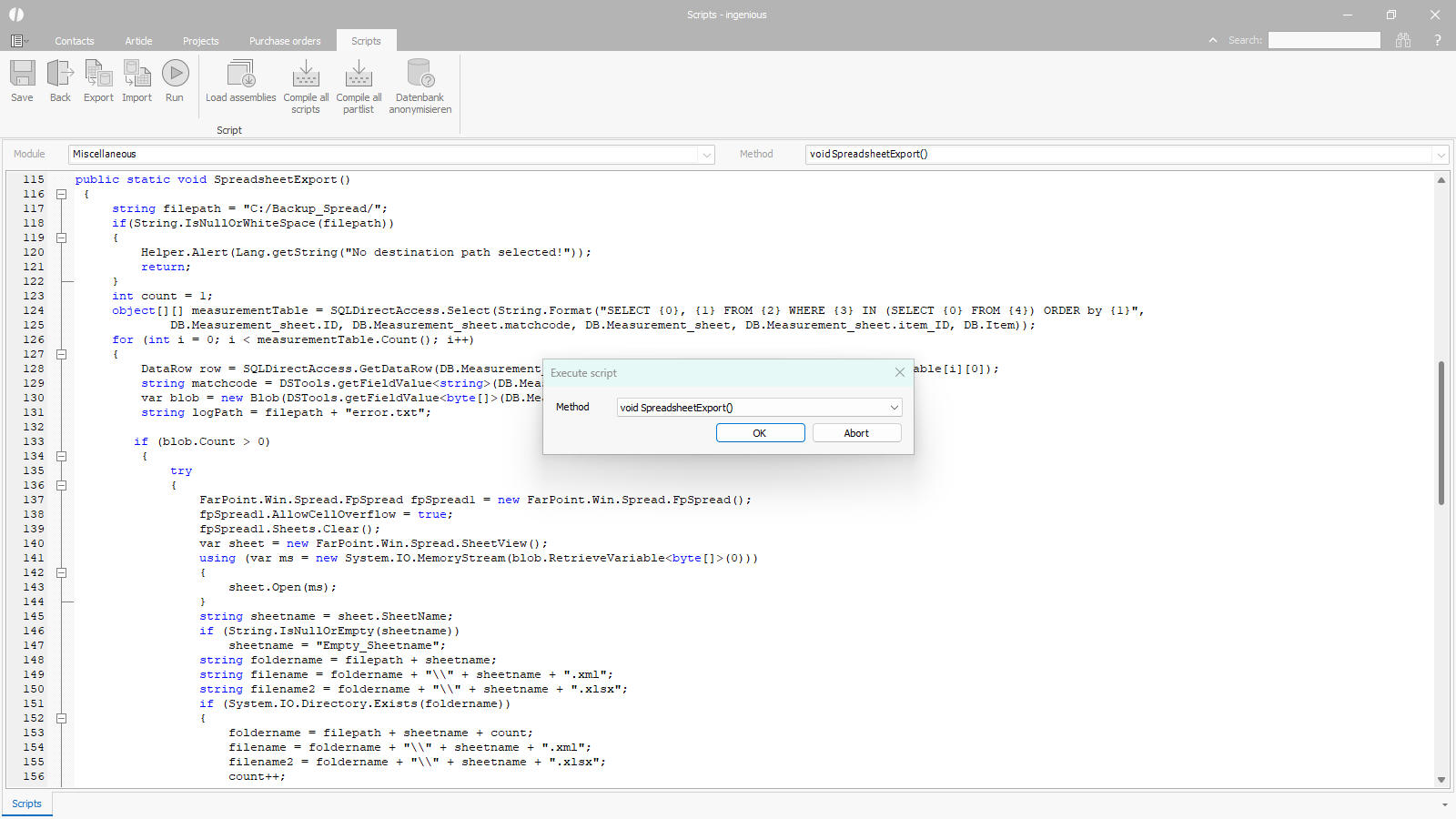 |
| Script for exporting measurement sheets |
After installing the update, the measurement sheets should be thoroughly tested.
Possible errors
If a problem is found in a measurement sheet, e.g. a deviation compared to the previous version, a possible solution can be found using the following table.
| Error pattern | Solution |
| Text in cells with bold borders is aligned differently | Increase cellpadding bottom |
| Unadded accessories are displayed | Change the conditions in the calculation field to an integer value instead of a string, e.g. (IF(X48=0,0,X48) instead of IF(X48=0,”0″,X48) |
| Prolonged cell skip | Replace the text formatting (“—“) with a numeric 0 in the cell condition. |
| The header has a covered area that is partially visible. | Visible inspection during printing and adjust cell size if necessary |
| Error in conditions. If a text-formatted numeric value is expected in the conditions and a simple number is in the target field, the check always returns “false”. | Adjust the condition by checking for numbers instead of text, or set the text formatting in the target field to text. |
| The text is aligned differently in the field. | Increase line size to center text |
| Rounding error: Rounding to nearest whole number | Change cell formatting from text to number with the desired number of decimal places |
| A picture script on the measurement sheet is cut off. | Give the picture more space on the measurement sheet, e.g. 2 columns instead of just 1. |
| New line is ignored | Change the cell type to rich text (not via the sidebar, but right-clicking on the cell or selecting cell types from the menu at the top). In the new window, check the multiline box. |
| Line breaks are ignored and text is visible that was not visible in the old version. | Change the cell type to rich text (not via the sidebar, but right-clicking on the cell or selecting cell types from the menu at the top). In the new window, check the multiline box. |
| Different formatting and therefore different text sizes | The font size must be specified as an integer. |
| Different position of the text | Select cell and set vertical alignment uniformly. |
| Very long loading time for a measurement sheet | Re-import the measurement sheed saved via script (open measurement sheet –> select exported file) and save it. |
| #Value errors, missing values, additional values in the measurement sheet | The problem occurs when the IF condition to which the cell with the error refers is located below the affected cell. –> Place the IF condition above the cell. |
| Additional values and the IF condition are displayed on the measurement sheet. | The problem occurs when the IF condition to which the cell with the error refers is located below the affected cell. –> Place the IF condition above the cell. |
| Client crashes when opening the measurement sheet | Re-import the measurement sheed saved via script (open measurement sheet –> select exported file) and save it. |
| A table on a measurement sheet is not displayed. | A condition with =IF(Cell=TRUE,””,”<DeleteRow>”) must be changed to =IF(Cell=1,””,”<DeleteRow>”). |
| Picture scripts on measurement sheets are displayed even though thy should be hidden. | The condition for displaying a picture must be located above the picture. |
| The objact of type “FarPoint.Win.Spread.CellType.BarCode.UPC” cannot be converted to type “FarPoint.Win.Spread.CellType.BarCode.BarCodeType”. | The cause is a cell defined as a “barcode” that cannot be evaluated in the new version. Re-import the measurement sheet saved via script (open measurement sheet –> select exported file) and save it. |
