
Export of outgoing invoices
With the Accounting Export manager, all outgoing invoices and credit notes saved in the project document attachments in ingenious as PDFs (including e-invoices) can be exported collectively to a single accounting folder (e.g., for Datev Unternehmen Online).
Since any documents related to the invoice can be stored in the attachments, the invoice to be exported must be marked as “Original.”
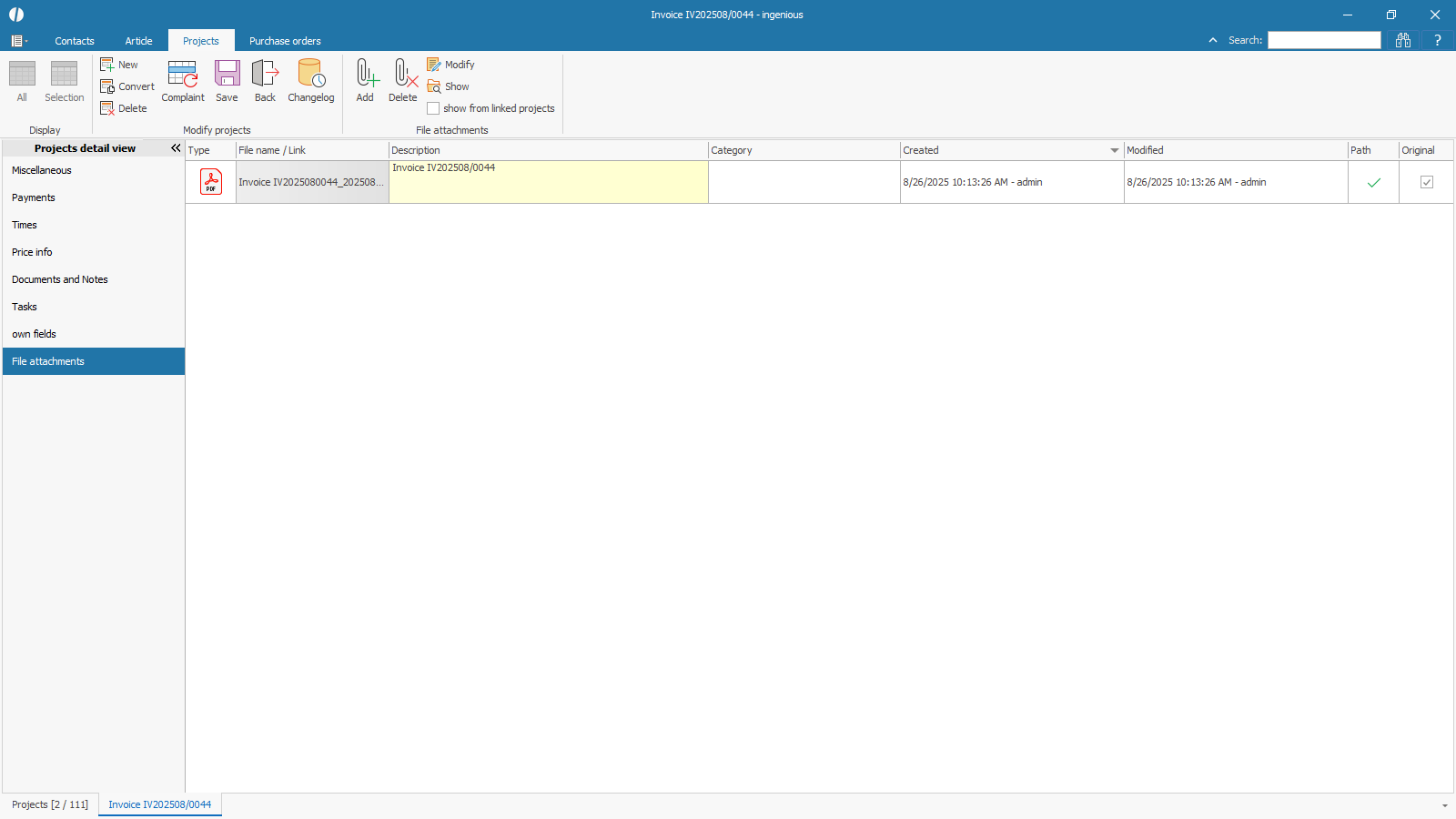 |
| Original invoice for archiving and export |
In the program settings, you can enable the option to automatically save an invoice as a PDF in the attachments when it is sent by email or printed.
The first time you save the invoice, it will also be automatically marked as an original.
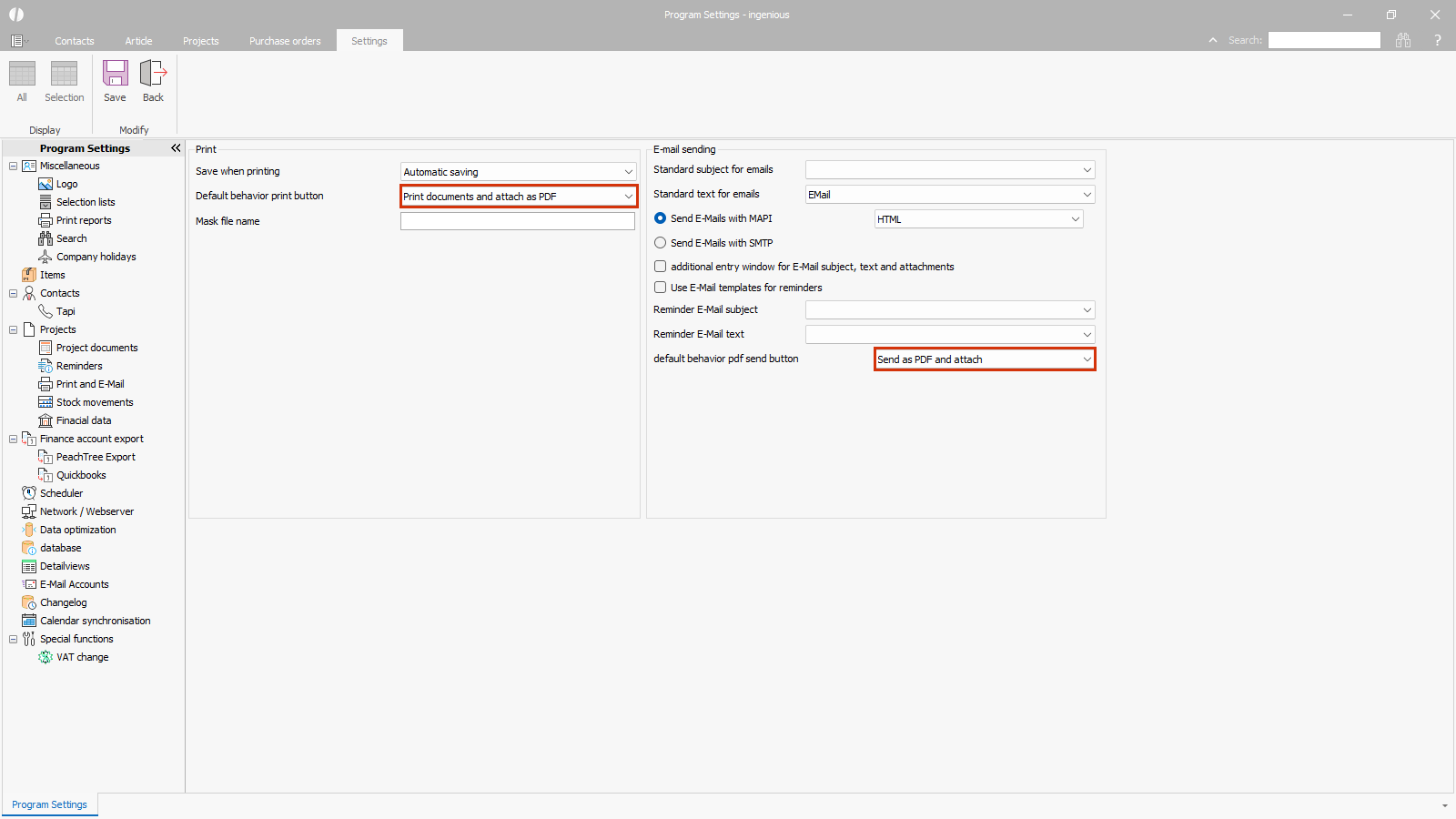 |
| Configuring automatic saving in file attachments |
In the Accounting Export Manager, select the FIBU target format “DATEV; Invoice documents.”
The export type determines whether all documents from the selected period should be exported (complete export) or only those that have not yet been exported in a previous export (differential export).
The export period can be freely configured.
The file storage path is preset with the path from the program settings, but can also be customized for each export.
A subfolder with a timestamp is created in this folder with each export, into which the documents are copied.
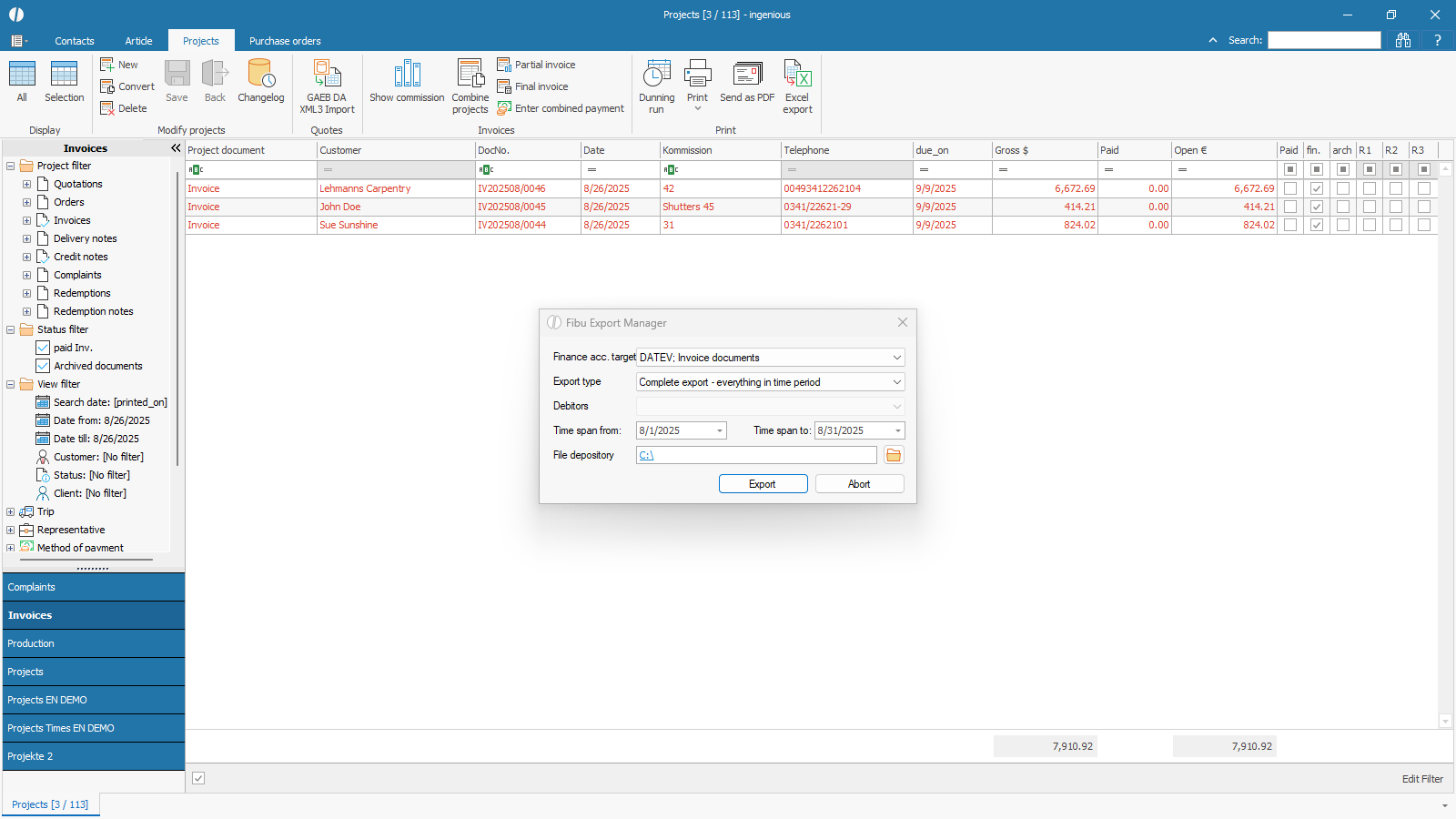 |
| Accounting export documents outgoing invoices |
All invoices and credit notes with the status “finalized” are included in the export.
When the export is performed, the date “Financial Account Export on” is set in the documents.
