
Heroal Import Handling RAL colors
For items with color codes 39 for single-color RAL powder coating, a script must be executed after the item import by the product manager to prepare the items for inclusion of the RAL color codes for the order.
An item used in a parts list must be linked to the corresponding parts list variable in order to adopt the RAL color of the respective configuration.
Preparation
The necessary script is provided by ingenious and must be inserted in the script module for the “Items List” module within the script method “NavBarScript”.
The script itself is called within the script method “Dictionary”.
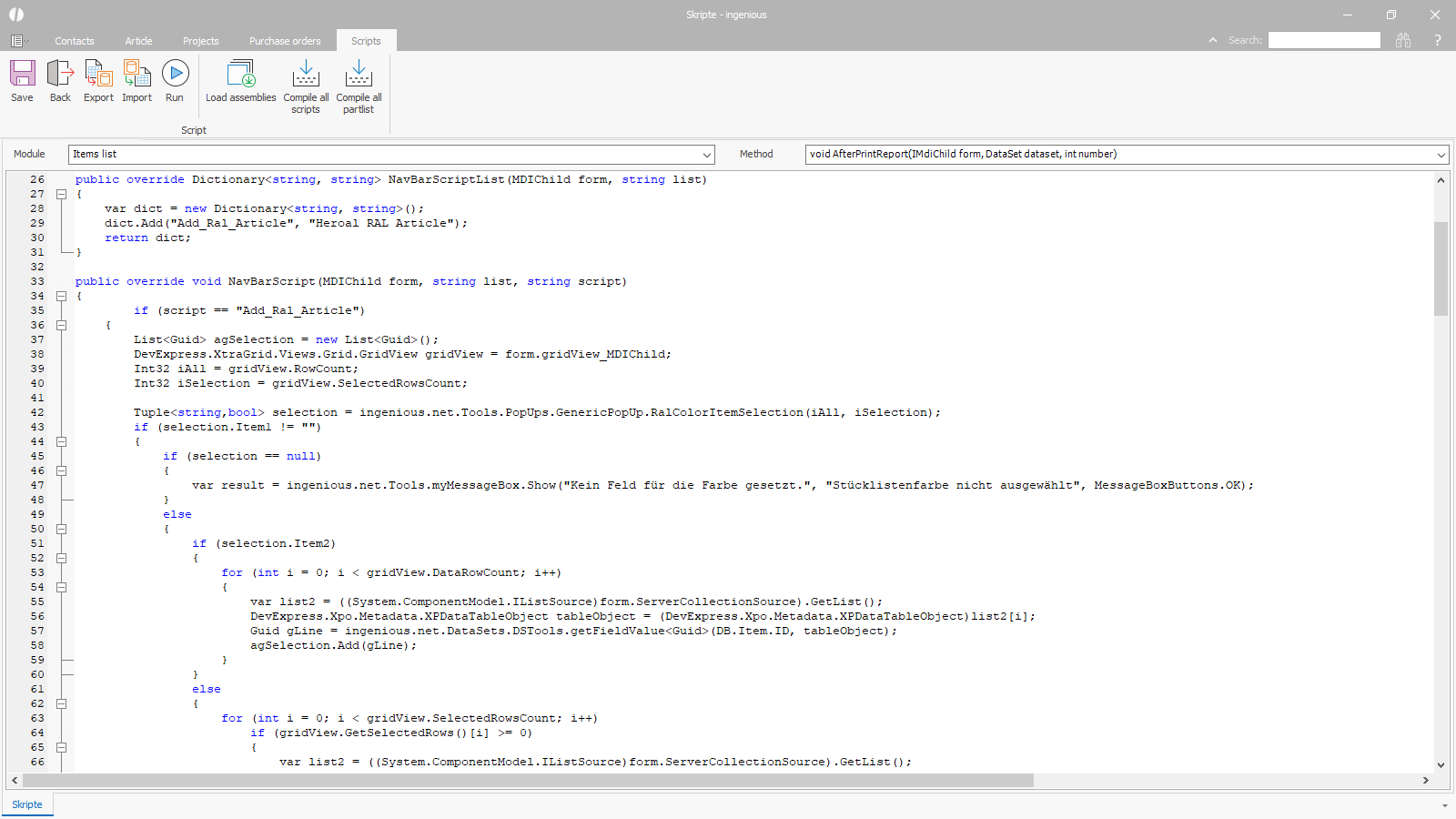 RAL items script RAL items script |
Application of the script
Step 1 – Determination of the BOM variable (not applicable for individual items that are not used in BOMs and are sold in stock lengths, for example)
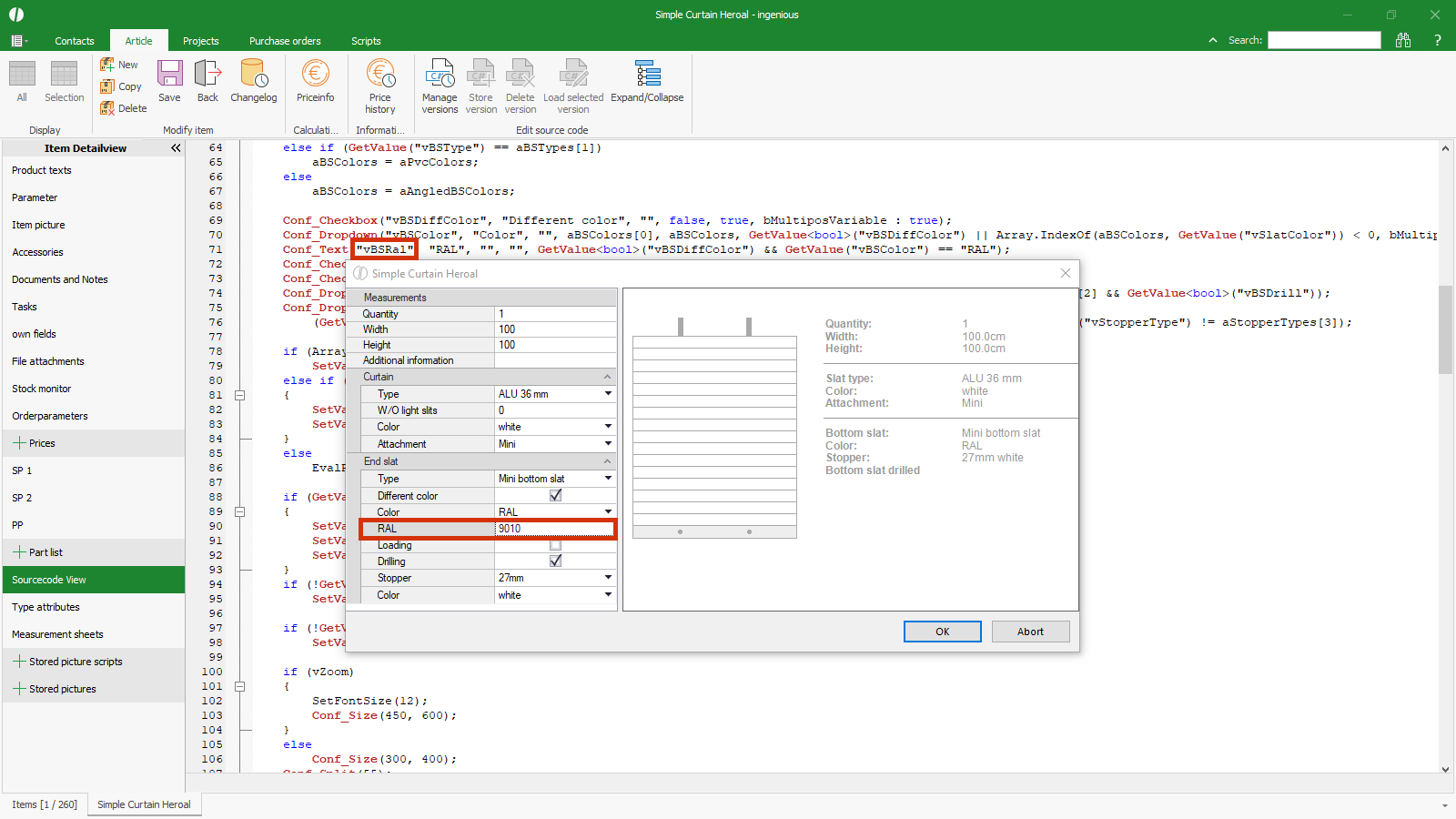 Determination of the BOM variable Determination of the BOM variable |
Step 2 – Run the script – enter the name of the parts list variable
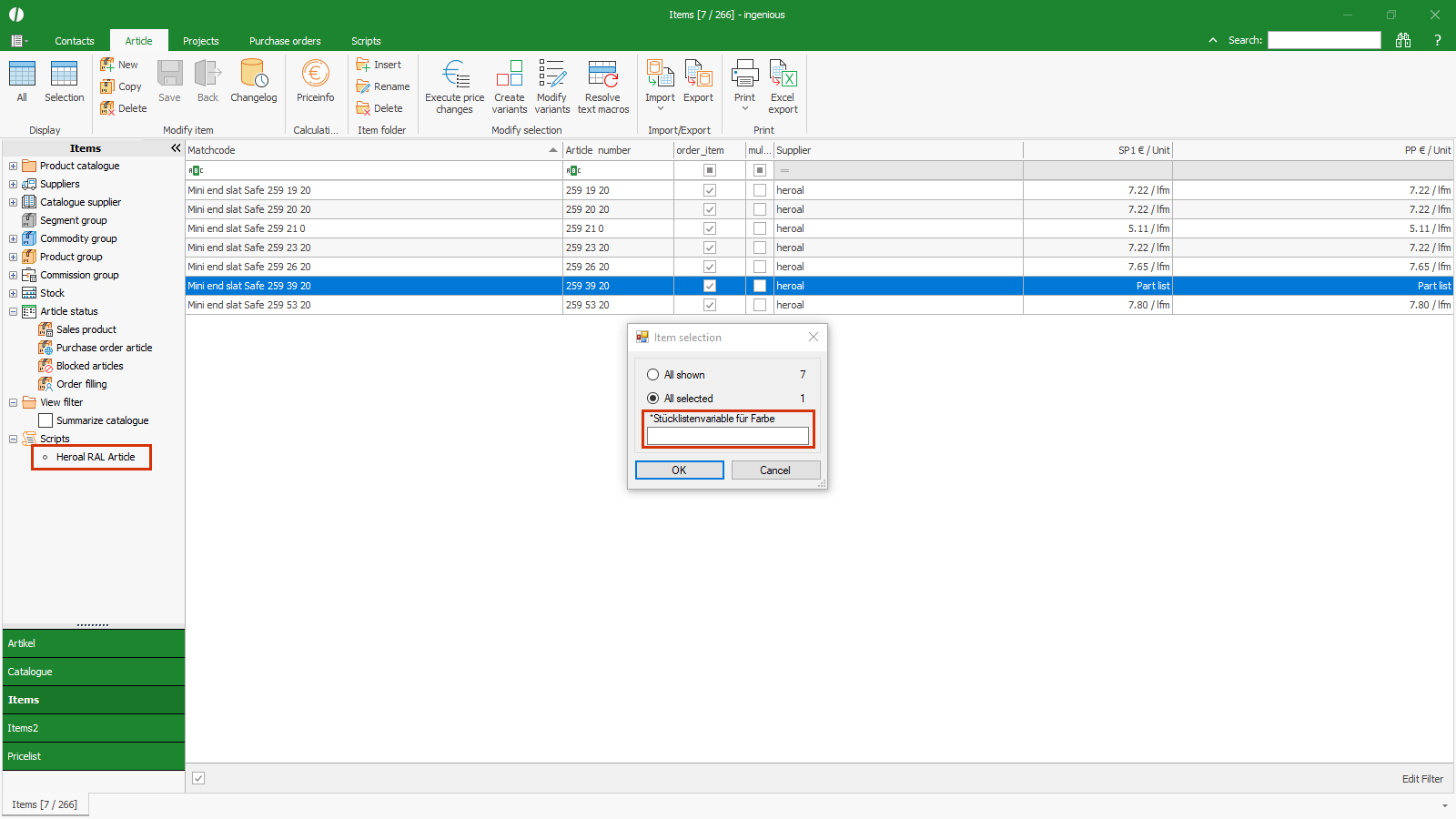 Running the script Running the script |
The script creates the checklist to query the color (RAL code) for items that are sold/ordered directly.
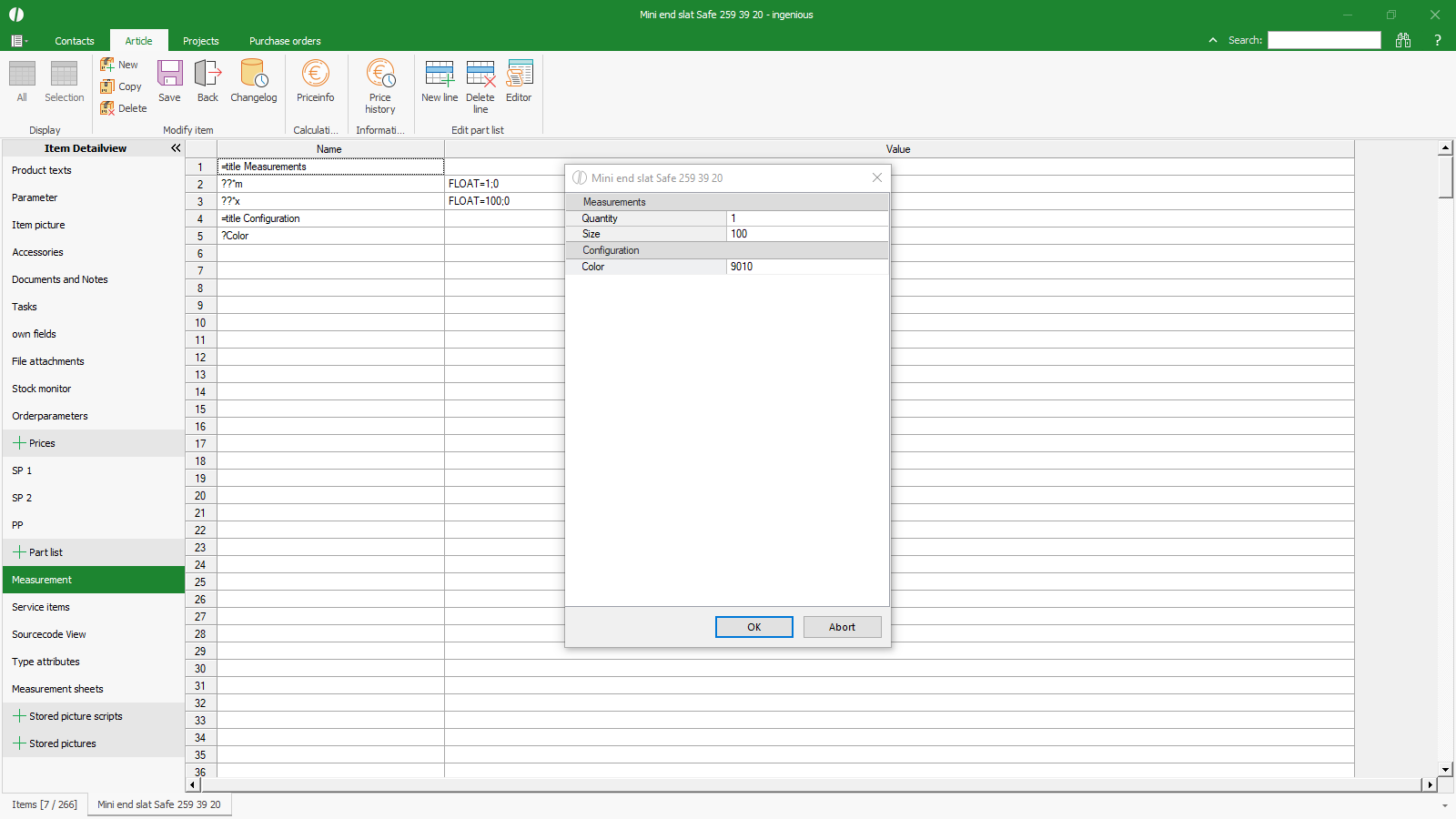 Measurement data for checklist Measurement data for checklist |
The script creates the service items to fill the print variable {pr_Color} in the article and order texts with the color from the measurement or from the BOM measurement and to transfer quantity, dimensions and price.
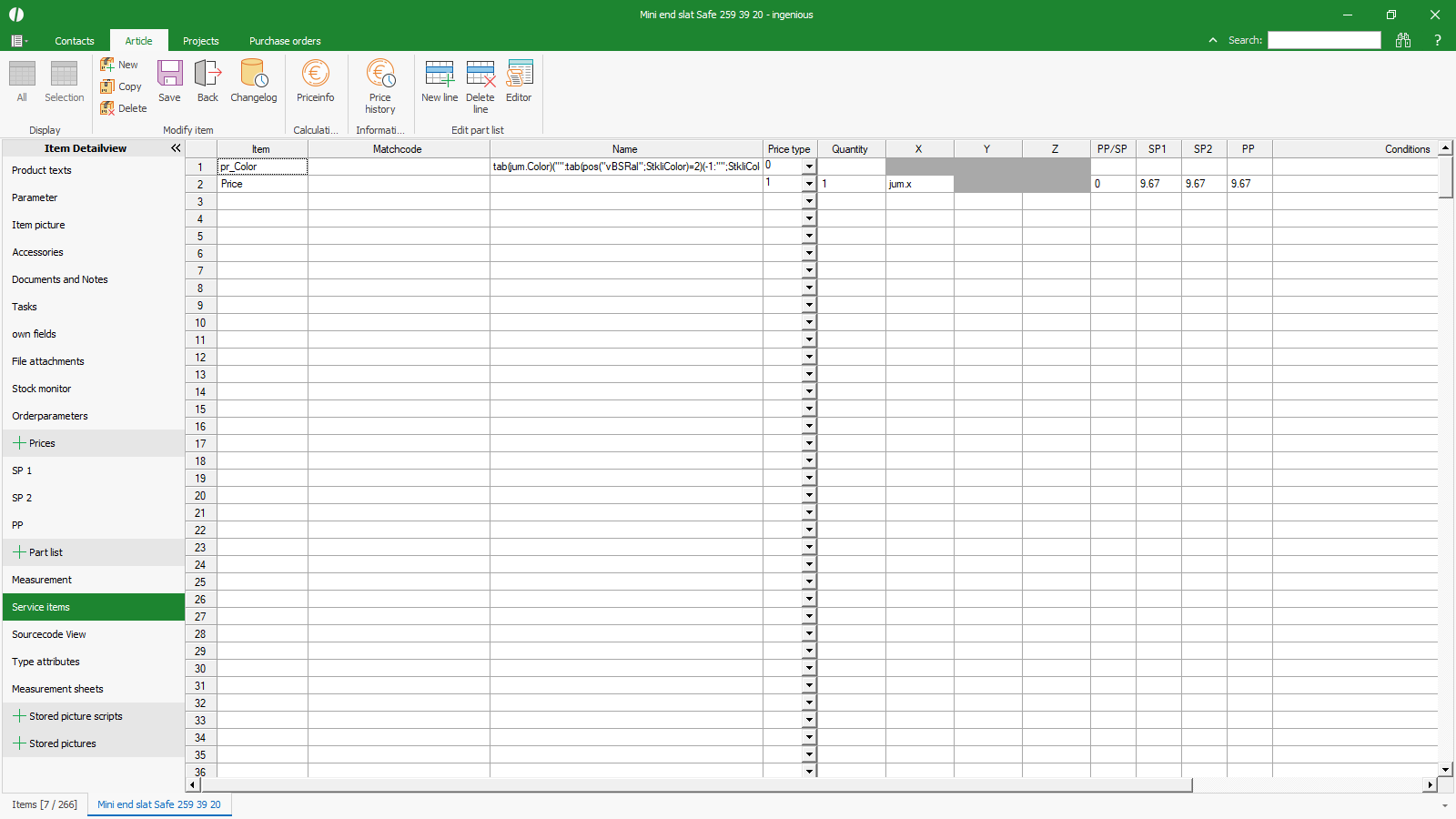 Service items for displaying text and price Service items for displaying text and price |
The script fills the type attributes with the entered BOM variable to adopt the RAL color code from the BOM, or the value remains empty if the item is not linked to a BOM.
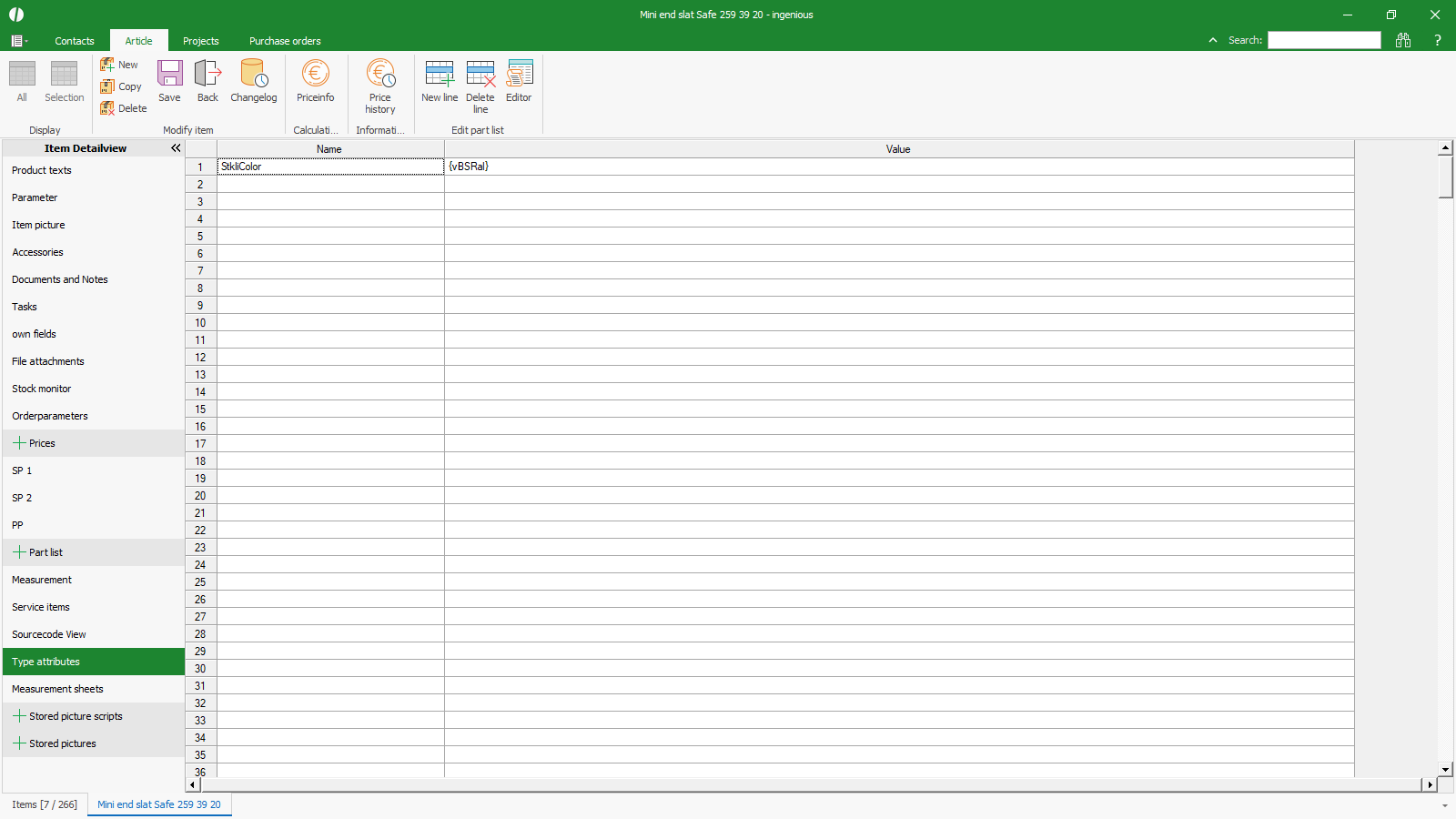 Type attributes for linking to the parts list variable Type attributes for linking to the parts list variable |
Step 3 – Write the print variable in the article text and the order text in curly brackets: {pr_Color}
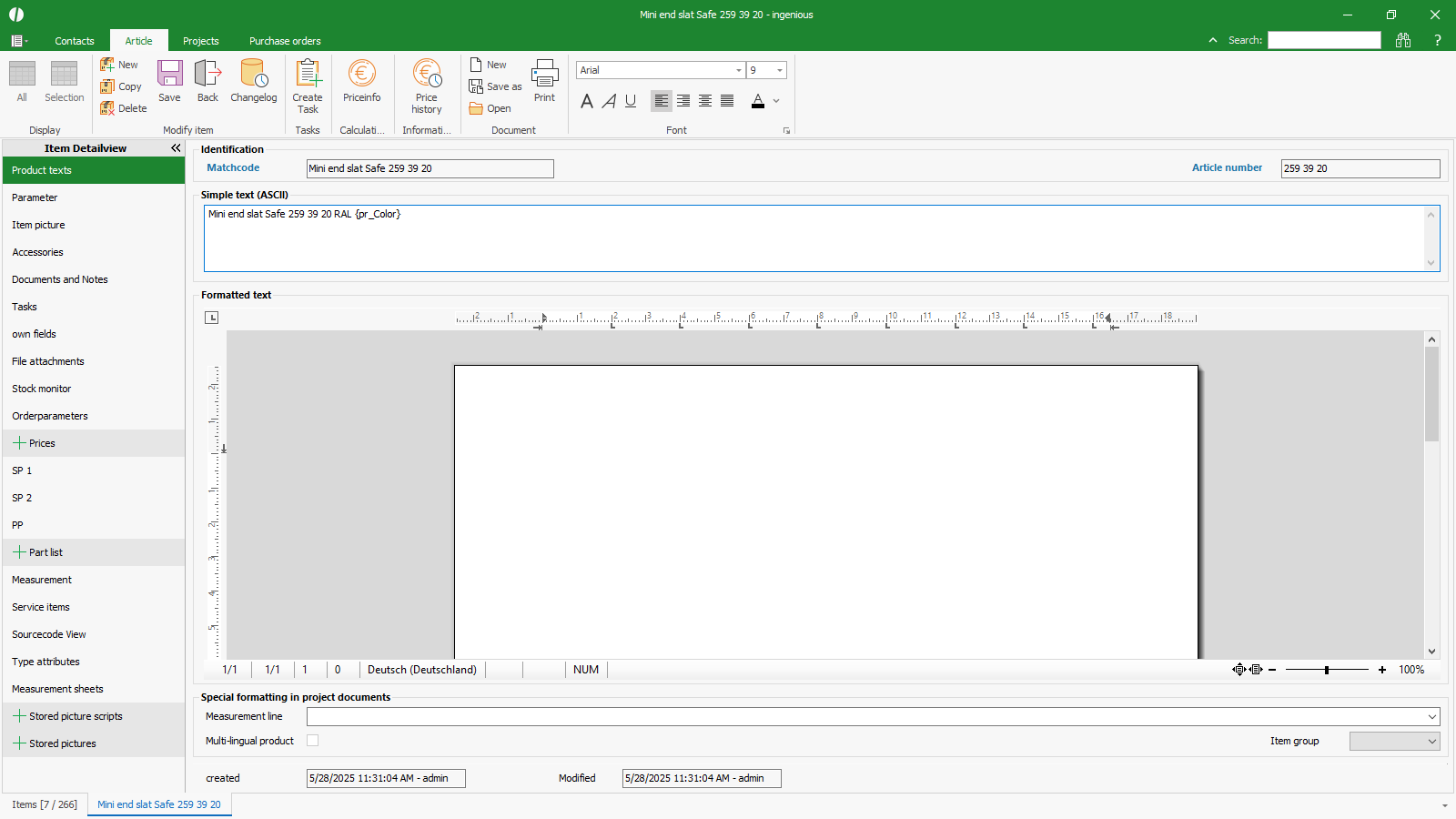 Article text with print variable Article text with print variable |
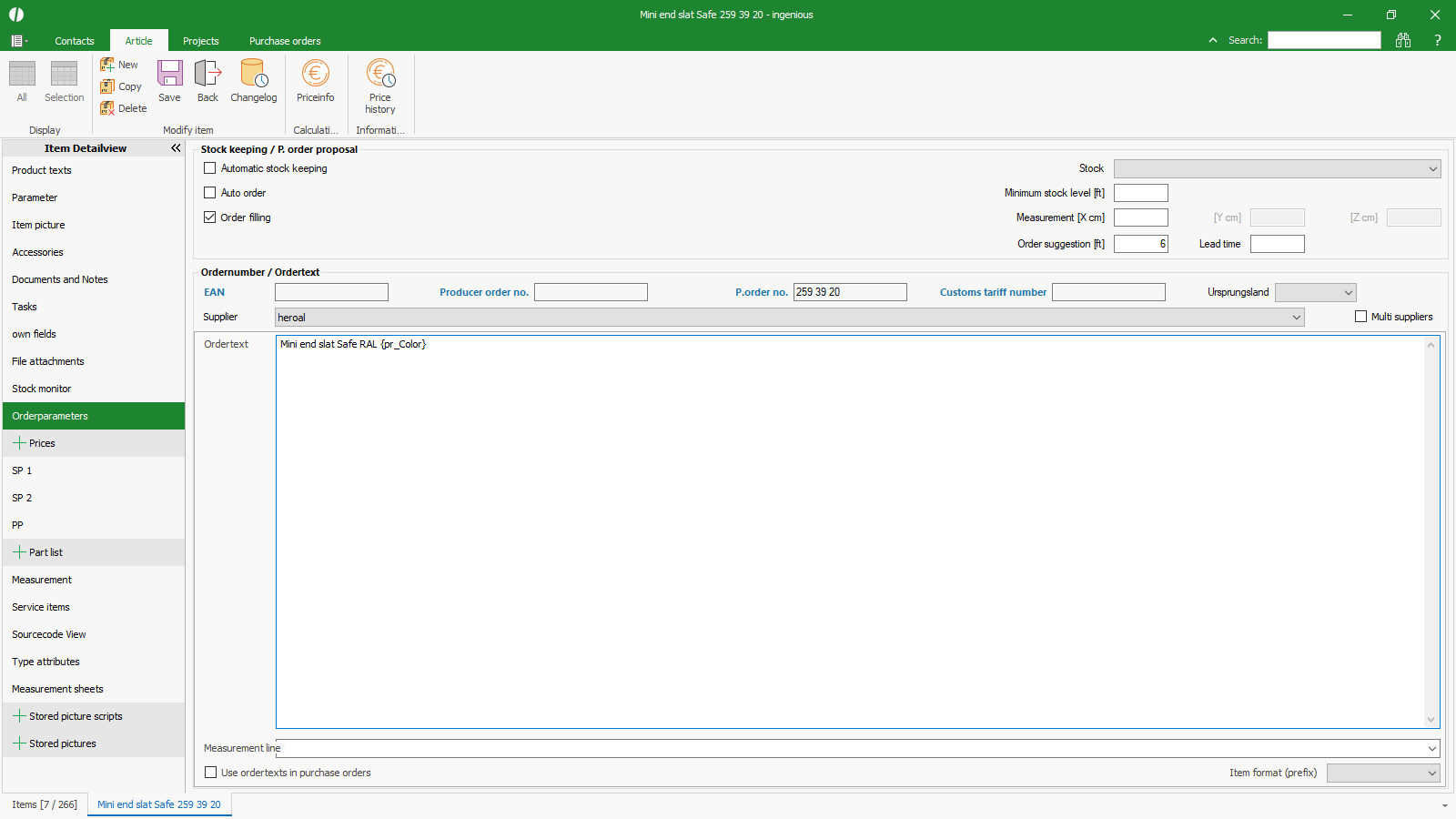 Order text with print variable Order text with print variable |
