
Miscellaneous user details
In the miscellaneous user data, person-related details are recorded. These are:
| Login | Protected field | The Login name (short name) at the creation of a new user. |
| Group | Selection list | User group, to which the user is assigned: the groups can be determined individually via the function “create group”. |
| Name | Simple input field | Full name of the user. |
| Department | Simple input field | Department, in which the user works. |
| Function | Simple input field | Function of the user. |
| Phone | Simple input field | Telephone number of the user. |
| Fax | Simple input field | Fax number of the user. |
| Simple input field | Email address of the user. | |
| Start module | Selection list | Selection of the module that should be first displayed when the program is started |
| Language | Selection list | Language, with which the user logs in at ingenious: Currently German, English, Dutch and Slovenian are available as languages. |
| Coloring calendar | Color picker | Definition of the font color of the calendar entries of the user |
| Picture | Thumbnail | Avatar / profile picture of the user. |
(ab ingenious Suite 2026 Version 5.0)
| Type | Selection list | Individual setting of the email delivery method for each user
|
| Selection list | For the SMTP sending method, select the account from which the user should send the emails.
For the MAPI sending method, the email format must be set here: Plain, Rich Text or HTML. For the EML sending method, the email format must be set here: Plain, or HTML. |
Trip management – driving license classes
This block is only visisble if the trip planning module has been licensed.
| Driver | Checklist | Using the checklist, the user is determined as the driver and is thus available as a resource in the trip planning. |
| Driving license classes B1, B, C1, C, CE | Checklist | Storage of the driver’s license classes to check whether he is allowed to drive the selected vehicle. |
| Standard vehicle | Selection list | Selection of a vehicle created in the vehicle management that is usually available to the driver. |
Calendar sync
The fields for configuring the calendar synchronization are available if a service selection has been made and configured in the program settings / network/server.
| (Exchange) alias | Simple input field | User alias (email address) for access to the exchange server for synchronization of the calendar with the mail client (Outlook) |
| Password | Masked input field | Password of the Exchange user alias. After entering the password, it is shown masked with asterisks. |
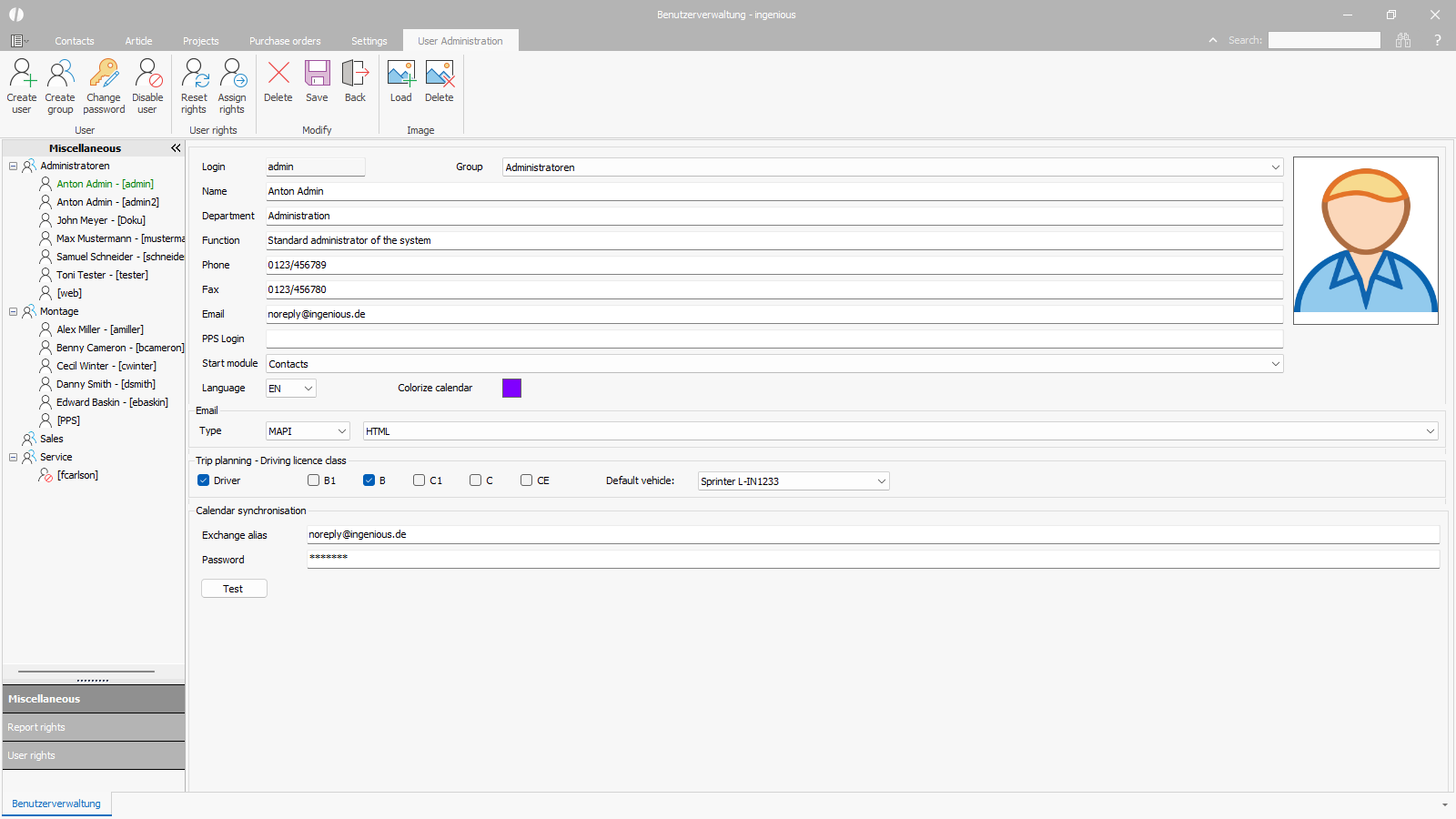 |
| Miscellaneous user data |
